
Revenue was down 6% yesterday. You know because you checked, the way you check every morning.
Now the real work starts. GAM for the delivery numbers. The Prebid dashboard for bidder performance. An export into a spreadsheet, because neither view answers the actual question. Twenty minutes in you have three tabs that half-agree, a hunch about mobile, and no idea whether Tuesday was a holiday somewhere that matters.
You could paste the exports into a general-purpose chatbot. It will answer with total confidence. It also doesn't know what an ad unit is, which of your placements are header bidding, or that your adhesion unit isn't supposed to have a fill rate.
Optimon AI works the other way around: the model comes to your data.
Ask the question, get the answer
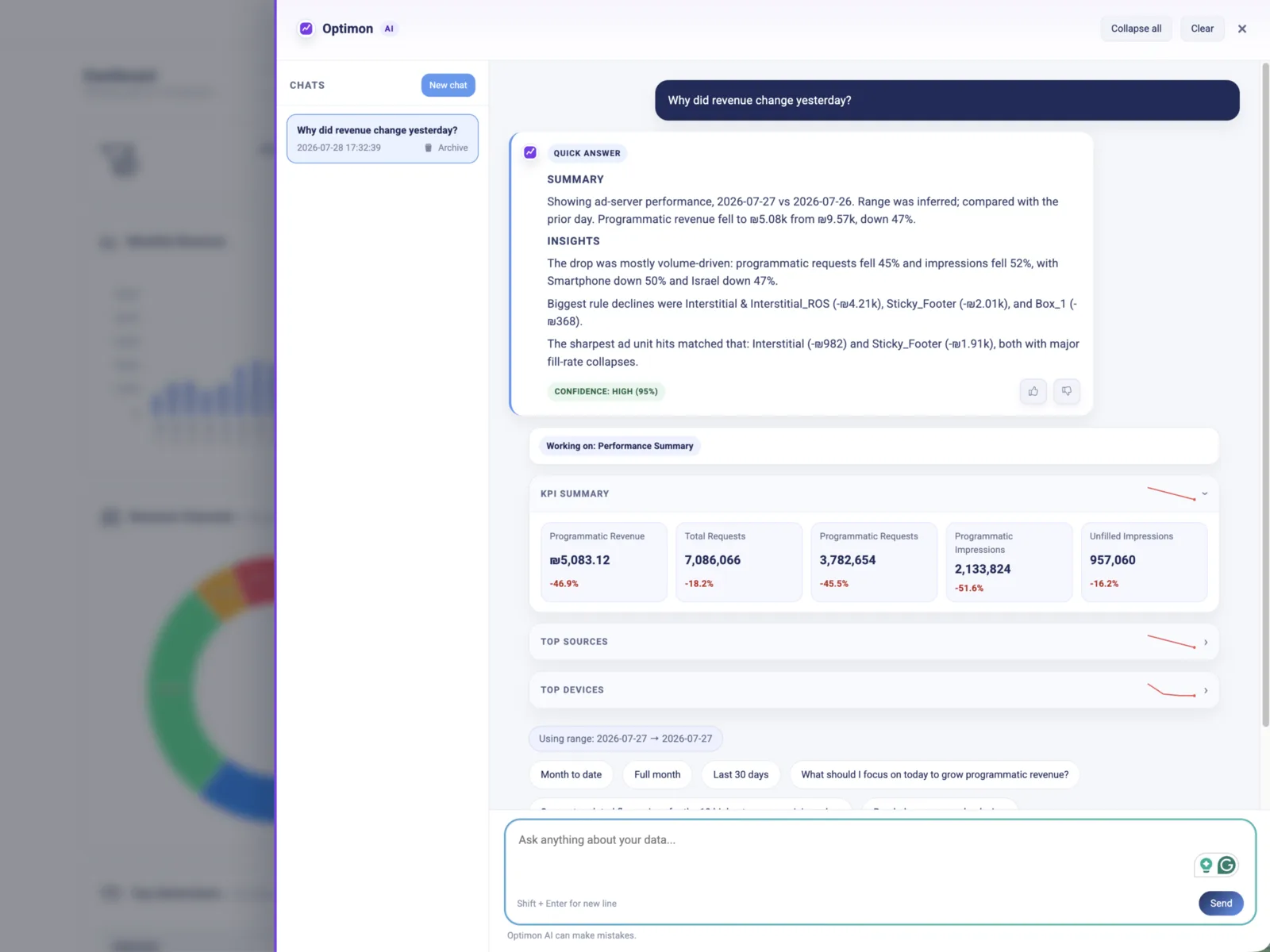
"Why did revenue drop yesterday?"
Optimon AI reads the question, plans the queries, and runs them across your sources, devices, geographies, and pricing rules. What comes back is not a summary of your dashboards - it's ranked causes, with the KPI cards attached so you can check the math yourself.
Twenty minutes of tab-juggling becomes one question and about fifteen seconds.
Underneath it's an agentic pipeline over 26 data tools scoped to your account. On the surface it's three things: what moved, what most likely caused it, what to do about it.
It speaks programmatic
Here's the test that separates an ad-ops analyst from a chatbot with a spreadsheet. Ask it any of these:
- Which bidder made the most money last week? - ranked, with the deltas.
- Which ad units grew the most this month? - and which ones slipped.
- Show my top 10 countries by fill rate last month.
- What's my bid response time by bidder, and who's timing out?
- What did header bidding actually add on top of the ad server?
No exports. No pivot table. No explaining what "fill rate" means first.
It ends in a button, not a paragraph
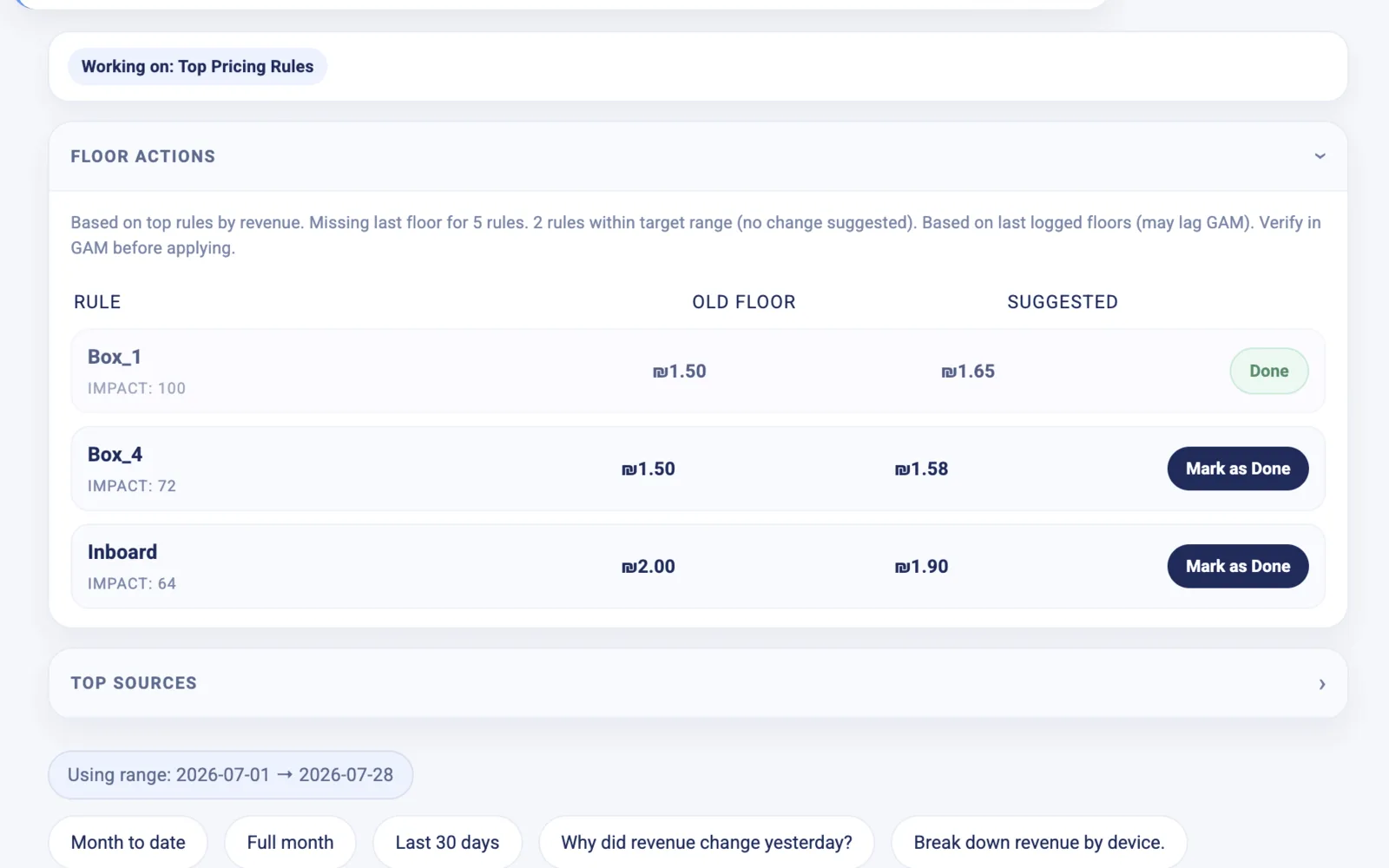
Analysis that ends in a paragraph is a report, and reports pile up.
Ask for floor suggestions and you get a Floor Actions card: the rule, its current floor, the suggested floor, and a deep link straight to that pricing rule in Google Ad Manager. Review it, apply it, mark it done - and the change is logged against the rule's history, so next month's "wait, what changed here?" already has an answer.
The suggestions are deliberately conservative: small steps, test windows, and your own bid data - not a market-wide benchmark built from someone else's inventory.
It speaks first
This is the part that changes the morning.
Every day before you log in, Optimon AI sends a briefing: what moved yesterday, why, and the two or three things worth your attention - written from your numbers, with links straight to whatever it's talking about.
A publisher wrote to us the morning after their first one: "Love it - saves me so much time hunting down problematic rules and ad units." That hunt is exactly what we set out to delete.
Every alert explains itself. Optimon has always watched for revenue drops, unfilled inventory, broken ads.txt, ad units running without pricing rules. Now each of those arrives with the diagnosis attached - cause, context, dollar impact, and the specific next step - instead of a threshold notification that leaves you to work it out.
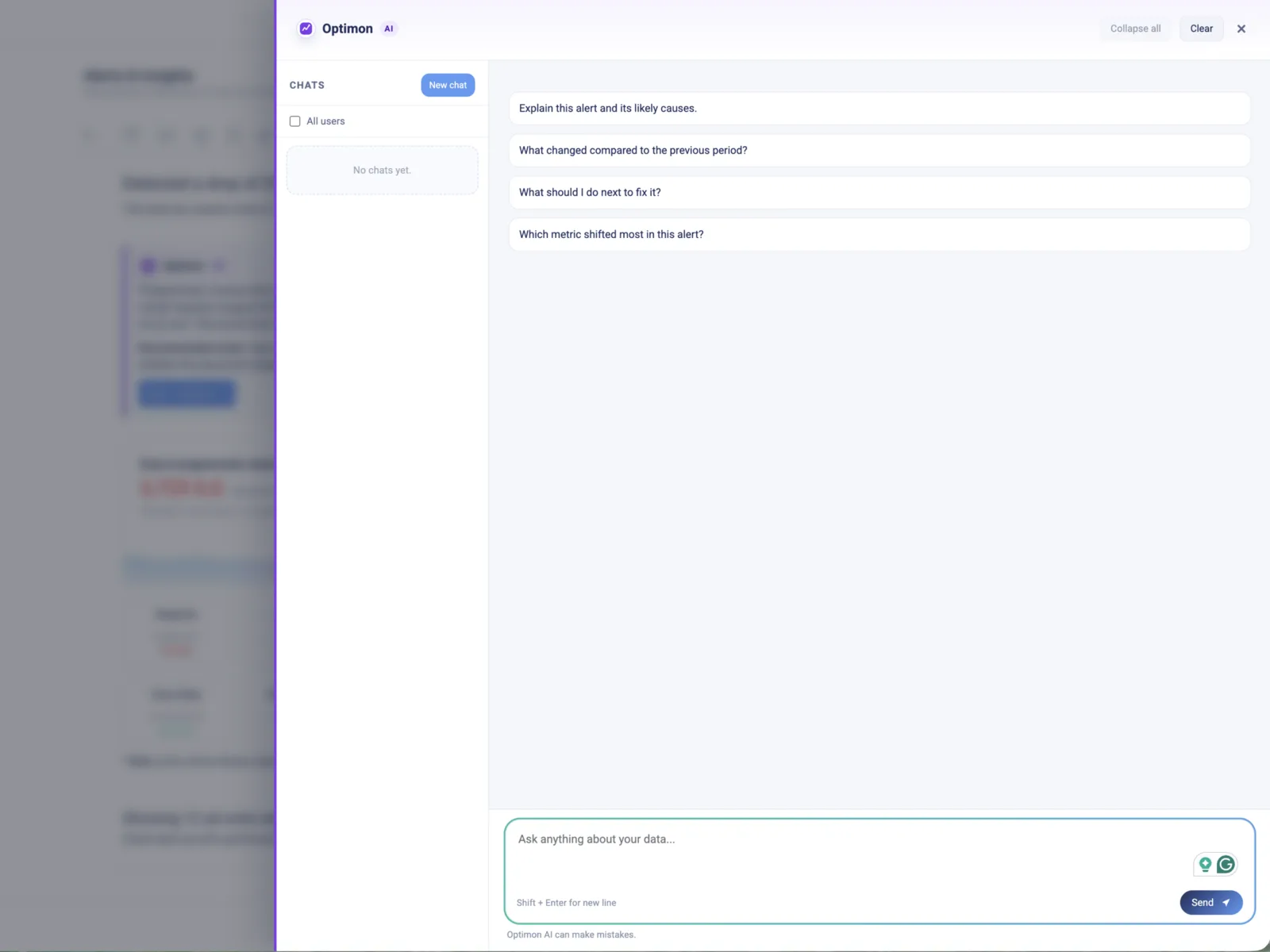
And it knows where you're standing. Open the assistant on an alert and the suggested questions are about that alert. Open it on a pricing rule and the answers stay in that rule's scope. Ask a follow-up and it keeps your entity, dates, and filters - say "and how much of that was mobile?" and it knows exactly what "that" refers to.
It won't make things up
Ad ops has earned the right to be cynical about AI. So here's what we did about the part that matters most.
Optimon AI answers from what your account actually has connected. Ask it something that would need a source you haven't linked or a module you don't run, and it says so - then points you at the nearest view you do have. It never fills the gap with a number that merely looks right.
That's not a promise, it's a test we run. Optimon AI came out of beta the day it scored 100% on capability honesty across an 80-case evaluation suite that runs against the live product on real accounts. The suite runs again on every change, and the score is the release gate.
Your data stays yours, too: answers come only from your own account's aggregated reporting data, scoped server-side. Optimon AI never sees another publisher's numbers, and it doesn't browse the web. Market context is anonymized and aggregated. The numbers in the answer are your numbers.
Available now, for every Optimon publisher
Optimon AI is out of beta and switched on for every publisher on the platform. Open any page and it's in the drawer. Tomorrow morning, the briefing arrives.
Not an Optimon publisher yet? Start where the assistant would.
Drop your domain into our free scanner and get an audit of your ad stack in about a minute: ad-unit architecture, Prebid configuration and latency, floors, ads.txt and supply-chain checks, and the layout issues that cost you revenue quietly. No account, no call, no form-then-wait.
Two other things worth your next five minutes:
- Optimon Ad Inspector - our free Chrome extension. It overlays live GAM and Prebid diagnostics on any page you visit: which ad units are header bidding, direct-sold, or unfilled, what bid latency looks like, where floors sit. Useful on your own site, and revealing on everyone else's.
- Book a demo - twenty minutes, your data, no slides. It's the fastest way to see what the assistant says about your stack.
The scanner finds the leaks. Optimon AI explains them, every morning, before you ask.


